Zipper Lock Screen & Wallpaper
Creative Apps Studio LTDPersonalization
4.1179.00 Reviews
- Version
- 2.0.4
- Installs
- 10.00M
- Age Rating
- Everyone
Screenshots
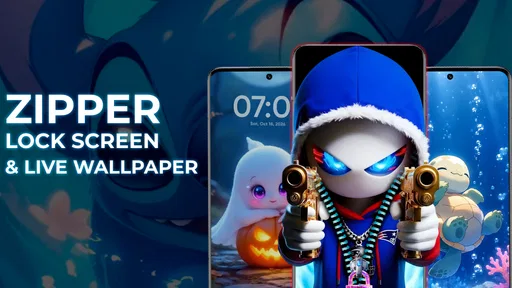
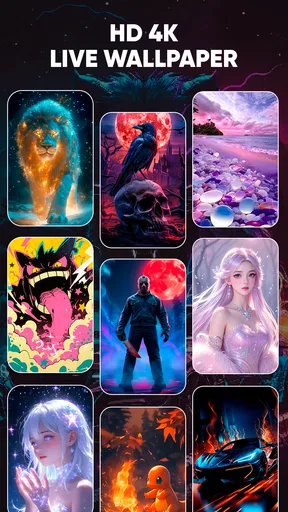
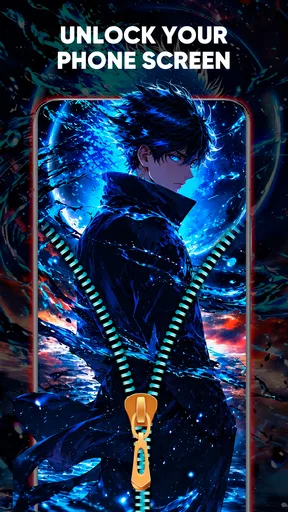
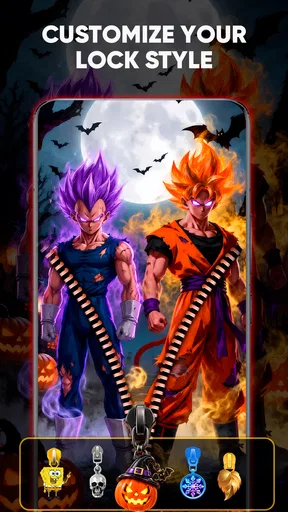
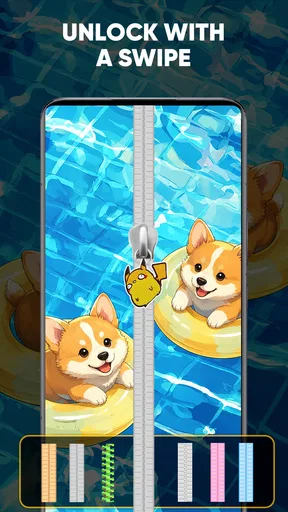
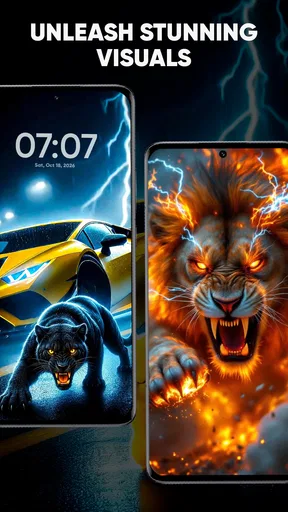
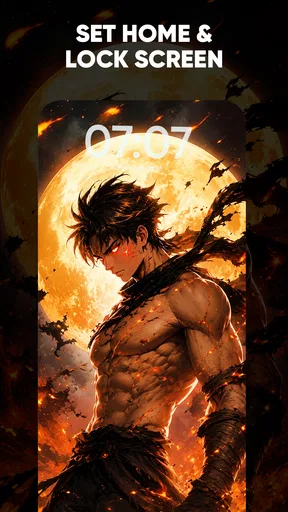
Our Review of Zipper Lock Screen & Wallpaper
 Analysis by Appyee
I tried Zipper Lock Screen & Wallpaper as a personalization app, and my first impression was simple: it is aimed at people who want the phone’s lock screen to feel more decorative than functional. Instead of relying on the standard lock screen appearance, the app focuses on zipper-style themes paired with live wallpaper effects. That gives the device a more playful identity, especially if you enjoy changing visual details rather than leaving the default setup untouched.
The idea is easy to understand. You choose a zipper design, select a background style, and use the result as a more distinctive way to reach the phone. In daily use, the appeal is less about saving time and more about creating a small visual ritual whenever you unlock the screen. I found that it works best when treated as a customization layer, not as a complete replacement for every security and lock-screen function built into the phone.
Creative Apps Studio LTD is the developer behind it. The app is free to install, with optional purchases ranging from $0.49 to $6.99 per item. It is rated for Everyone, which fits its decorative focus, and it requires Android 8.0 or later. Its current version is 2.0.4, and the app has already reached over 10 million installs. That level of adoption suggests that the concept is easy for a wide audience to understand, although the average rating of 4.1 from around 59 thousand ratings also points to an experience that will not suit every phone or every user equally.
Starting with a dependable lock-screen routine
My recommended starting point is to keep the first setup deliberately simple. Open the app, look through the available zipper styles, and choose a design that remains readable against the wallpaper rather than selecting the most elaborate option immediately. A lock screen has to work at a glance. If the zipper, decorative elements, and background all compete for attention, the novelty wears off quickly because the screen becomes harder to read.
I would then test the chosen look several times instead of judging it from the preview alone. Check it in a bright room, in dim lighting, and while holding the phone at different angles. Live wallpaper can look attractive in a still preview but feel visually busy once the screen wakes. This small test is one of the most useful habits with a personalization app: the design should remain comfortable during ordinary unlocking, not only look impressive during setup.
A realistic everyday scenario is using a different style for a personal phone and a shared family device. On a personal phone, a bright zipper theme can make the screen feel more individual. On a family device, a calmer background and a clearly visible zipper may be better because different people can understand the interaction without explanation. The app’s value comes from these small choices, rather than from treating every theme as equally practical.
I also recommend keeping the phone’s regular security method in mind. A decorative lock screen may change the visual path to the device, but it should not be treated as a substitute for the security tools already configured on the phone. If you normally use a PIN, password, pattern, fingerprint, or another system method, make sure you still know how to reach and use it after applying the theme. The zipper effect is primarily visual interaction; it should complement sensible phone security rather than replace it.
That distinction matters because the usual Android lock screen is designed around predictable access. It shows essential information in a familiar layout and generally gets out of the way. This app adds personality, but personality can also mean an extra moment before the phone is ready. I enjoyed that trade-off when I wanted a more playful appearance, but I would not choose it for a work phone where the fastest possible unlock matters more than decoration.
Settings I would check before settling on a theme
The first setting worth checking is whether the wallpaper and zipper remain visually separate. A zipper that blends into the background may look stylish in a preview but become difficult to follow when the screen is covered with notifications or bright icons. I prefer a design with clear contrast and a background that leaves some empty space around the main interaction area.
The second check is motion. Live wallpaper can make the lock screen feel more polished, but movement is not automatically better. If the animation distracts you, makes text harder to read, or feels repetitive after a few days, choose a less demanding visual style. A still-looking background with a clear zipper can be more pleasant for regular use than an energetic design that you notice every time you unlock.
Before making the app part of your routine, I would also confirm how it behaves alongside the phone’s own lock-screen settings. Notifications, biometric unlocking, screen timeout behavior, and the manufacturer’s interface can all influence what you see. Android devices do not present system features in exactly the same way, so a theme that feels seamless on one phone may require more adjustment on another. This is not a reason to avoid the app, but it is a reason to test the complete unlock sequence rather than assuming the preview tells the whole story.
Another practical check is whether the design remains useful with a case or screen protector. Thick edges, unusual cutouts, or a smaller display can make decorative controls feel cramped. I found that simpler zipper arrangements tend to age better because they are easier to recognize when the phone is used one-handed. This is especially important for people who unlock the device while walking, carrying groceries, or switching between tasks.
The free entry point makes experimentation easy, but I would avoid buying anything until a theme has survived several days of normal use. The inexpensive items may seem harmless individually, yet the sensible approach is to decide whether the app’s core interaction actually improves your experience first. If you only enjoy changing looks once every few months, the free options may be enough. If you regularly personalize your phone, the optional items may be more tempting, but they should still be judged by clarity and comfort rather than novelty alone.
Faster patterns for people who change styles often
Experienced users can make the app feel less like a one-time novelty by creating a repeatable selection routine. I would keep one dependable theme for everyday use, one brighter option for a change of mood, and perhaps one restrained design for situations where readability matters most. The important point is not to keep switching randomly. A small rotation makes it easier to compare styles and quickly return to the one that works best.
When testing a new look, use the same checklist each time: can I identify the zipper immediately, can I read the lock-screen information, does the wallpaper remain comfortable in low light, and can I complete the unlock without hesitation? Repeating those checks turns subjective customization into a practical decision. It also prevents a common mistake with personalization apps: choosing a theme because it looks striking for a few seconds, then discovering that it becomes tiring during dozens of daily unlocks.
I would also pair the visual choice with a habit on the phone itself. For example, keep the most readable theme active on busy workdays and use a more decorative one at home or during weekends. This does not require complicated automation; it is simply a reminder that the best appearance can depend on context. A design that feels fun while relaxing may be less suitable when you need to glance at notifications quickly.
Another useful pattern is to take a screenshot of the setup you like before experimenting further. That gives you a visual reference if you later change the wallpaper, switch themes, or forget which combination felt most comfortable. It is a small but effective workflow for anyone who enjoys customization and tends to try many options in one session.
People who share a phone with children or older relatives should prioritize recognition over decoration. A zipper interaction can be engaging, but a complicated or low-contrast design may create confusion. In that situation, choose the clearest theme and demonstrate the gesture once. The app is more successful when the visual effect supports the user’s confidence instead of making the lock screen feel like a puzzle.
Compared with ordinary wallpaper apps, this one offers a more interactive presentation. A conventional wallpaper changes the background while leaving the familiar lock screen intact. Zipper Lock Screen & Wallpaper makes the unlocking moment itself part of the design. Compared with a standard system lock screen, it offers more personality but potentially less simplicity. That is the central trade-off, and understanding it makes the decision much easier.
Where the decorative approach reaches its limits
The biggest limitation is that a themed lock screen cannot control every part of the phone experience. The system still decides how notifications, biometric access, quick actions, and security prompts behave. If your priority is deep control over those elements, a dedicated launcher, a manufacturer’s built-in customization tools, or the standard lock screen may be a better fit. This app is strongest when your goal is visual transformation, not complete interface redesign.
There is also a practical cost to visual motion. Even when the live wallpaper is attractive, some users will prefer a calmer screen because they check the phone frequently. People sensitive to animation, users who want minimal distractions, and anyone who values an instant, familiar unlock may find the zipper effect unnecessary. In those cases, the normal lock screen is not boring; it is simply more efficient.
Compatibility is another area where expectations should remain realistic. Android 8.0 support makes the app available to many devices, but phones differ in screen proportions, software skins, and lock-screen behavior. A theme may appear perfectly balanced on one display and less comfortable on another. I would pay particular attention to the placement of text and the amount of empty space near the zipper, especially on compact phones or devices with unusual aspect ratios.
The app’s free model is approachable, but optional purchases can change how much customization you ultimately get for no extra cost. Since individual items range from $0.49 to $6.99, I would treat purchases as a personal choice rather than a necessary part of installation. The right question is whether a particular style will remain useful after the initial excitement. If it only looks different, but not clearer or more enjoyable, it is probably not worth adding to the rotation.
I would also skip this app if you need a lock screen that behaves exactly like the phone’s original interface. People who depend on consistent notification placement, rapid access to system shortcuts, or a distraction-free display may be happier with the built-in option. Likewise, if you rarely notice your wallpaper because you unlock through a fingerprint sensor almost instantly, the zipper interaction may not have enough time to become meaningful.
On the other hand, it makes sense for users who enjoy refreshing the appearance of an older phone, want a more playful visual identity, or like small interactive details in everyday software. It can also be a pleasant choice for a secondary device where experimentation matters more than maximum efficiency. The app does not need to replace every other personalization tool to be worthwhile; it only needs to make the lock screen more enjoyable for the person using it.
My verdict after using it as a daily customization layer
I see Zipper Lock Screen & Wallpaper as a focused personalization tool with a clear personality. It takes one familiar part of the phone and turns it into a decorative interaction. The result is more memorable than a normal wallpaper, and the free installation makes it easy to try without committing immediately. The app’s broad install base and 4.1 average show that the idea has real appeal, while the rating also suggests that personal preference and device behavior will shape the experience.
My advice is to begin with contrast, restraint, and a few days of testing. Choose a zipper that is easy to find, pair it with a background that does not compete for attention, and check the complete unlock process with your phone’s existing security settings. After that, keep the best combination as your baseline and experiment from there. This approach gives the app a practical role instead of turning it into a constant stream of visual changes.
The best reason to use it is not that it makes unlocking faster; it is that it makes the phone feel more like yours. If you enjoy expressive themes and do not mind adding a decorative step to the lock screen, I think it is worth trying. If you want maximum speed, minimal motion, or strict control over system-level behavior, the standard lock screen or a more comprehensive customization option will probably serve you better.
For me, the app works when I treat it as a small daily design choice rather than a security feature or a full replacement for Android’s interface. That keeps expectations realistic and highlights its genuine strength: a simple way to give the lock screen a distinctive look, with enough flexibility to build a repeatable style that remains comfortable in everyday use.
Verdict
Strengths of Zipper Lock Screen & Wallpaper
- Adds a playful zipper animation to the lock screen.
- Offers several wallpaper styles and customization options.
- Simple interface makes setup quick for most users.
- Can personalize the lock screen without changing the phone launcher.
- Usually lightweight and easy to remove if you change your mind.
Limitations of Zipper Lock Screen & Wallpaper
- May display advertisements during customization or unlocking.
- Extra lock-screen layers can slightly delay access to the device.
- Compatibility may vary across Android versions and phone brands.
- Some features or designs may require in-app purchases.
- Could conflict with the system lock screen or notification display.
Similar Picks in This Category
View All
Microsoft SwiftKey AI Keyboard
SwiftKey4.3

Wallpapers
Google LLC4.1

Zedge™ Wallpapers & Ringtones
Zedge4.7

Yandex Browser with Alice AI
Direct Cursus Computer Systems Trading LLC4.3

Ringtone Maker:create ringtone
Big Bang Inc.4.7

Fonts Keyboard
Fonts Keyboard3.9
Frequently Asked Questions
What is Zipper Lock Screen & Wallpaper?
Zipper Lock Screen & Wallpaper is an Android personalization app that gives your device a decorative zipper-style lock screen. Instead of using a standard lock screen appearance, you can choose a themed background and unlock the display by pulling the virtual zipper. It is mainly designed for visual customization and entertainment, so its features may differ from the security options provided by your phone’s built-in lock screen.
Does Zipper Lock Screen & Wallpaper provide real phone security?
The zipper animation is primarily a visual effect and should not automatically be considered a replacement for a PIN, password, pattern, fingerprint, or face unlock. Before using the app as your main lock-screen experience, check whether your device still keeps its normal security method active. For stronger protection, continue using Android’s built-in security settings and treat the zipper screen as a personalization layer rather than a complete security solution.
Can I customize the zipper design and wallpaper?
Customization depends on the version of the app and your device, but apps in this category commonly offer several zipper styles, handle designs, colors, and background images. You may also be able to select a picture from your gallery or adjust visual settings such as sound and vibration. After applying a theme, test it carefully to ensure the wallpaper is displayed correctly and the unlock gesture responds reliably.
Does the app affect battery life or phone performance?
Zipper Lock Screen & Wallpaper is generally a lightweight personalization app, but lock-screen overlays, animated effects, sounds, and continuously active background services can use additional battery or memory. On newer phones, the impact may be minor, while older or budget devices could experience slower transitions or occasional delays. If battery consumption increases, disable animations, sounds, notifications, or background permissions where the app allows it.
What permissions and compatibility issues should I check before downloading?
Before installing, review the permissions requested on the Google Play listing and in your Android settings. A lock-screen personalization app may require permission to display over other apps, show notifications, access wallpapers, or run after startup. Compatibility can vary by Android version and manufacturer interface, and some devices may restrict third-party lock screens. Download it from a trusted source and remove overlay access if the app behaves unexpectedly.
